How to Activate Your Credit Monitoring and CyberScan

Setting Up CyberScan and Credit Monitoring
Once you’ve completed enrollment, it’s time to activate two key features: CyberScan—a tool that continually searches the deep and dark web to see if your information has been potentially exposed to cybercriminals—and 24/7 credit monitoring. Both are easy to set up:
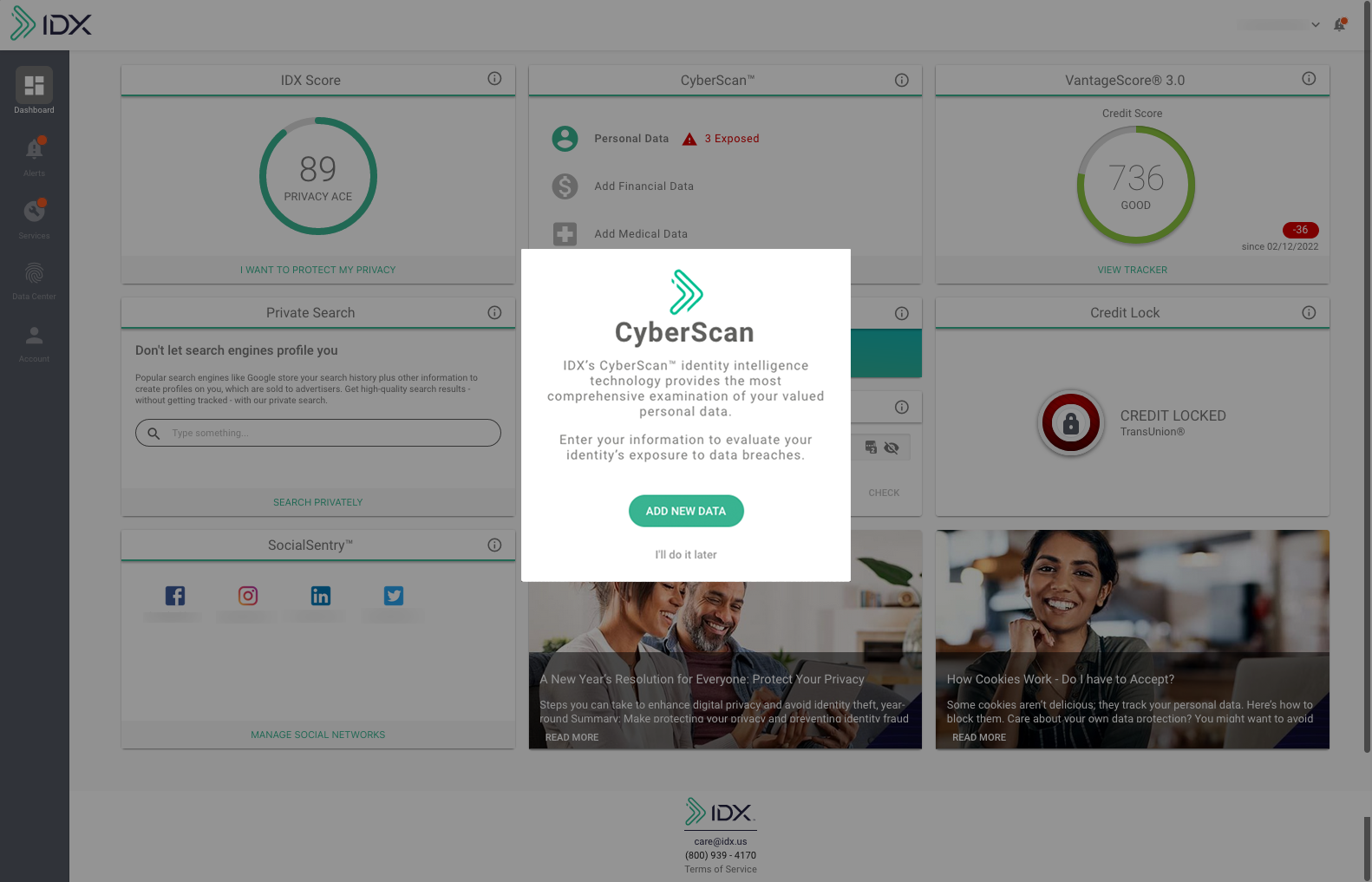
1. After you complete the IDX tour, a popup window will appear for CyberScan. Click the “ADD NEW DATA” button.
You can add personal, financial, and/or medical data so CyberScan can begin monitoring for exposure of your personal information on the deep and dark web. When you’ve finished adding your information, click the top icon on the left sidebar (the one that looks like four tiles) to return to your dashboard.
At any time, you may add your personal information for CyberScan monitoring by navigating to the “Data Center.”
2. To set up Credit Monitoring, go to the IDX Services page and click the “Credit and Identity Management” box.

3. You will be prompted for your personal information so IDX can start your credit monitoring.
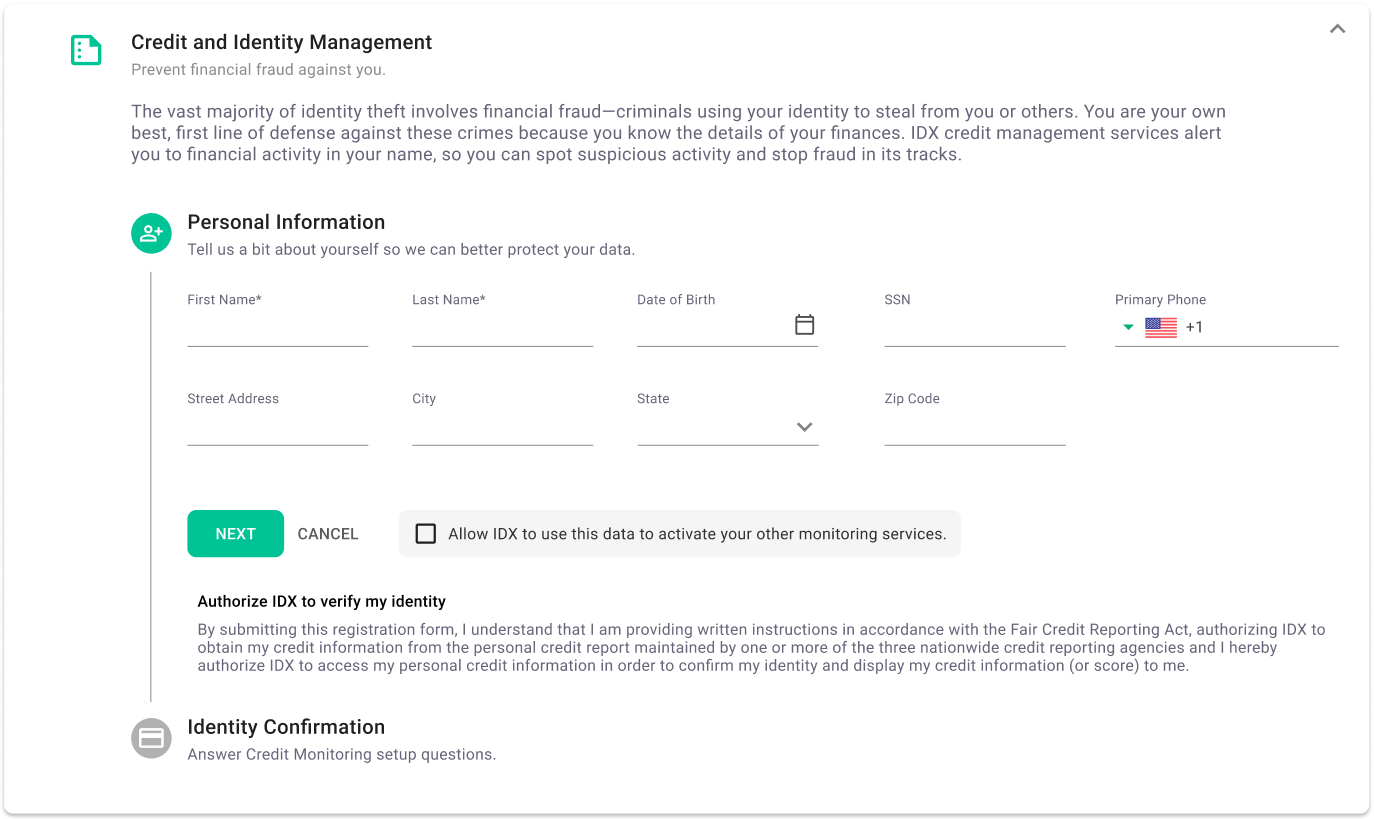
Enter the following information on a series of screens, clicking “NEXT” after completing this task:
- Name, address, and date of birth
- Phone number
- Social security number
4. Next, you will be asked a series of multiple-choice questions to authenticate and verify your identity.
You can either choose to receive a passcode sent via voice or text message, or you can answer security questions based on your financial history. If you choose security questions, you’ll see a series of screens with questions and answer choices. For each question, choose an answer and click “NEXT.”
You will be asked questions based on historical records about you. Because these records may be outdated, please answer using any information you recognize, even if it is no longer current.
Important note: After three failed attempts, access to the verification process will be locked for 72 hours.
Congratulations, your credit monitoring and CyberScan monitoring are now activated!
Now that you’ve completed these steps, your IDX account is working to protect your identity. At the start of each month, we’ll send you an email letting you know if there were any alerts from the prior month that you may have missed.
If you need to update or add personal information at a later date, simply log into your IDX account and click the human-shaped icon in the gray sidebar at the left of the screen. At any time, you can also add information for CyberScan monitoring (any details that are grayed out in your account) by clicking "Data Center", the icon of the fingerprint on the sidebar.